
Top
Q and A
Q and AFrequently Asked Questions
Here you can find answers to common questions about JAANE.
-
Q.01
What kind of app is JAANE?
-
A
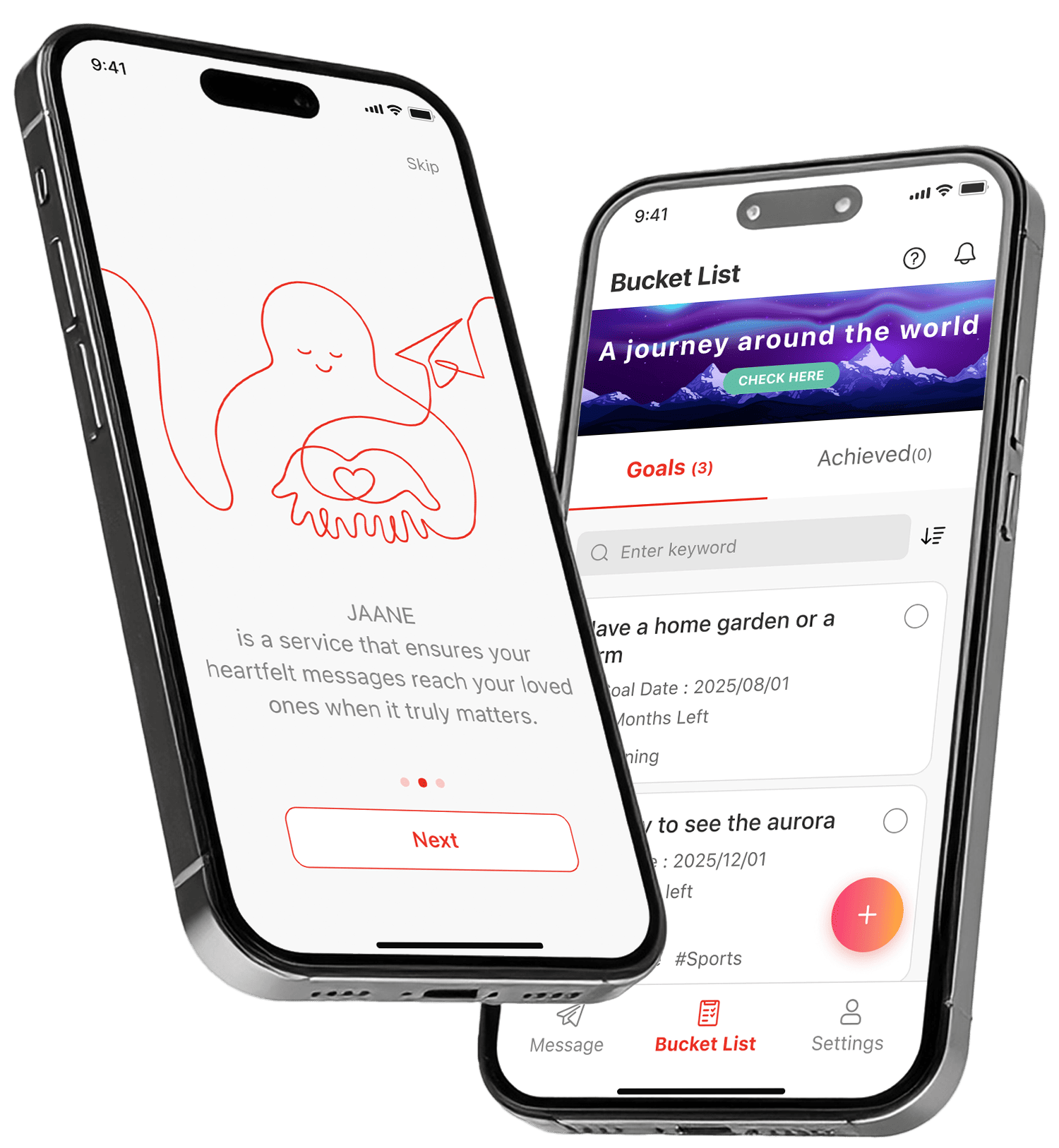
JAANE is an app that helps you live the life to your fullest, with the help of the two following features.
The first feature is the ‘Message’ delivery feature.
This allows you to leave messages for the people you care about, after you are no longer with us.
Currently, you can pre- register messages with text and photos. Soon video and audio messages will become available after future updates.
The second feature is the ‘Bucket List’ feature.
This allows you to freely write down things you would like to accomplish while you are alive.
(In the future, we also plan to add features that let users connect with others who share similar dreams and goals, and pursue them together.) -
Q.02
Why was this app created?
-
A
JAANE was created with the wish to save people from two kinds of regrets.
The first kind regret is, wishing you had told your feelings before it was too late.
The other kind of regret is, wishing you had taken the challenge to pursue your dreams or goals.
Collect your feelings for those dear to you and put them into words.
Take your first step towards realizing a long time dream.
Little by little these actions will flourish your life, and free you from regret. -
Q.03
How are my messages delivered?
-
A
Your pre-registered messages will be delivered to your predetermined recipients, after you have been determined to no longer be with us, following these procedures.
JAANE will send routine wellness checkup messages at an interval of your choice.
When you have failed to respond to these checkup messages for a certain period of time, a notification is sent to your pre selected representative.
Then your representative will check on you to see if you are fine or not. Only when they have confirmed you are no longer with us, only then will your messages be delivered to your pre determined recipients. -
Q.04
What am I able to do with the ‘Bucket List’ feature?
-
A
You will be able to visualize your desires and goals, by freely listing them down and planning a date.
You can register items creating a list, and add a target date to each item. Setting a specific date subtlety shifts your mind to make your wish from ‘someday’ in to ‘by when’, encouraging positive action.
-
Q.05
Who do people leave messages for?
-
A
Most of our users leave message for their loved ones or people important to them, such as family members, partners, close friends, colleagues, etc.
-
Q.06
Is my personal data safe?
-
A
Yes, we take greatest care in ensuring the security of your data.
JAANE operates in compliance with the EU General Data Protection Regulation (GDPR) and Japan’s Act on the Protection of Personal Information.
Your messages and information are protected under global standard security measures, with all registered text and photo data fully encrypted. -
Q.07
What does it cost to use JAANE?
-
A
JAANE is currently free of charge.
Some extra paid features may be added in the future, but we invite you to use our services free of charge.
-
Q.08
What does a ‘Representative’ do?
-
A
A representative is tasked to check upon your well being (—if you have passed or not) thus, making the final decision if your messages are to be sent out.
Although entrusted with this important role, they will not be able to see any of your messages (unless designated to them).
We recommend you choose a trusted family member of friend as a representative. -
Q.09
What should I do if I encounter a problem or bug?
-
A
Please contact us through the inquiry form on our website.
After we receive your message, the JAANE support team will respond within around three business days.
-
Q.10
Who is JANNE for?
-
A
We recommend JAANE if you..
—Would like to leave a message to those dear to you when you are gone
—Have dreams and aspirations you would like to try during the time you have
—You don’t want to have regrets when it all endsJAANE is for those who care deeply about others—and those who want to live their lives with intention.
-
Q.11
I downloaded the app, but I’m not sure how to use it. What should I do?
-
A
Basic how to use explanations are offered in tutorial videos in the app.
You’ll see a ‘Help’ icon in the top-right corner, when you open the app. Tap it for guidance and instructions.
You can also watch the tutorial videos available on our website.